Running my kernel on real hardware
08 February 2026
Developing a custom operating system is notoriously difficult. These days we have awesome developer tools such as QEMU or Bochs. Despite that, those tools can sometimes turn out to be faulty or simply not show the entire truth about the running OS - especially QEMU, which while works, is a little too loose and allows for some correctness issues to slip in (in regards to CPU features, stack alignment, device drivers and so on). Because of that, it’s very important to test once in a while on real hardware - the code MUST be correct for it to work.
At the end I’ll tell a short and funny story about my personal experience with QEMU ;).
In search for the right hardware
Of course we’re talking about x86/PC machines here
The right hardware will be either very easy or really difficult to buy depending on what platform you’re developing for.
If your OS is 32 bit (ie. runs on i386-based machines) then you’ve got a problem. 32 bit machines are hard to get these days and are quite expensive due to their high collector value and vintage/retro freaks willing to overpay for this electronic scrap. I myself own 2 32 bit intel machines - Pentium S and the OG i386DX, but they barely work and I doubt they could handle constantly smashing the reset button and rebooting.
64 bit machines are more modern (duh!) and thus you get a lot of quality-of-life features like USB booting, which is miles better than writing floppies or CD disks, just to find out your kernel doesn’t work and discard them, producing a mound of plastic garbage in the process.
Just because a machine is 64 bit, it doesn’t make it better for development! A CPU is not everything, it is rather just one of many puzzle pieces, which make up the entirety of the PC. This is why you have to mind what peripherals your machine offers. A lot of modern PCs don’t have legacy PS/2 ports or a serial port - and you can forget about LPT (rip). Everything is USB these days, which means that to have some simple debug printing (or just any output for that matter) you will need a graphics driver or a USB driver to send data. As you can imagine, this is really difficult to have when your OS is taking it’s baby steps, while a serial PC driver is like 30 lines of code. That’s why it’s important to have these simple, primitive, yet super useful peripherals available.
HP Thin Client T730
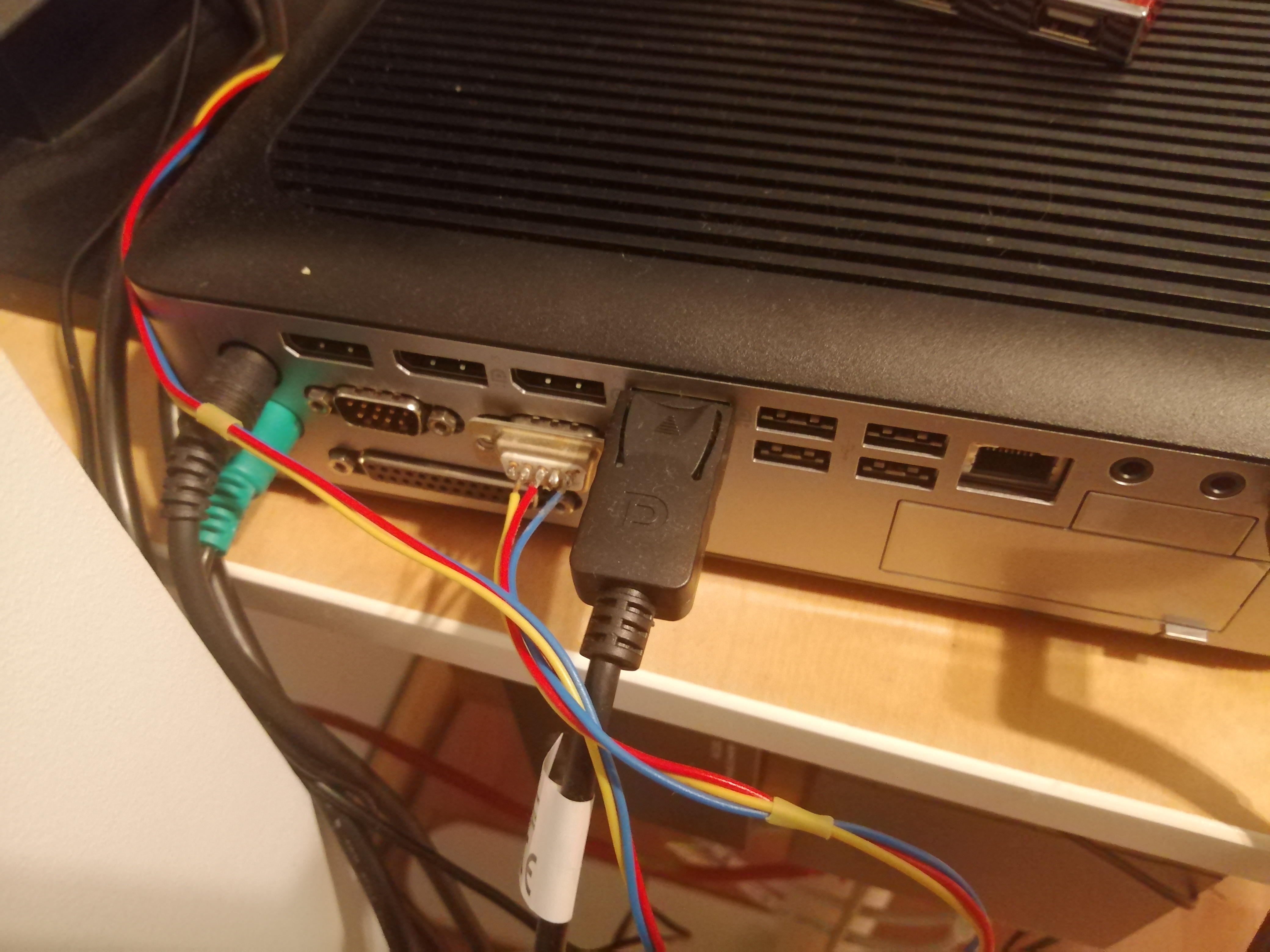
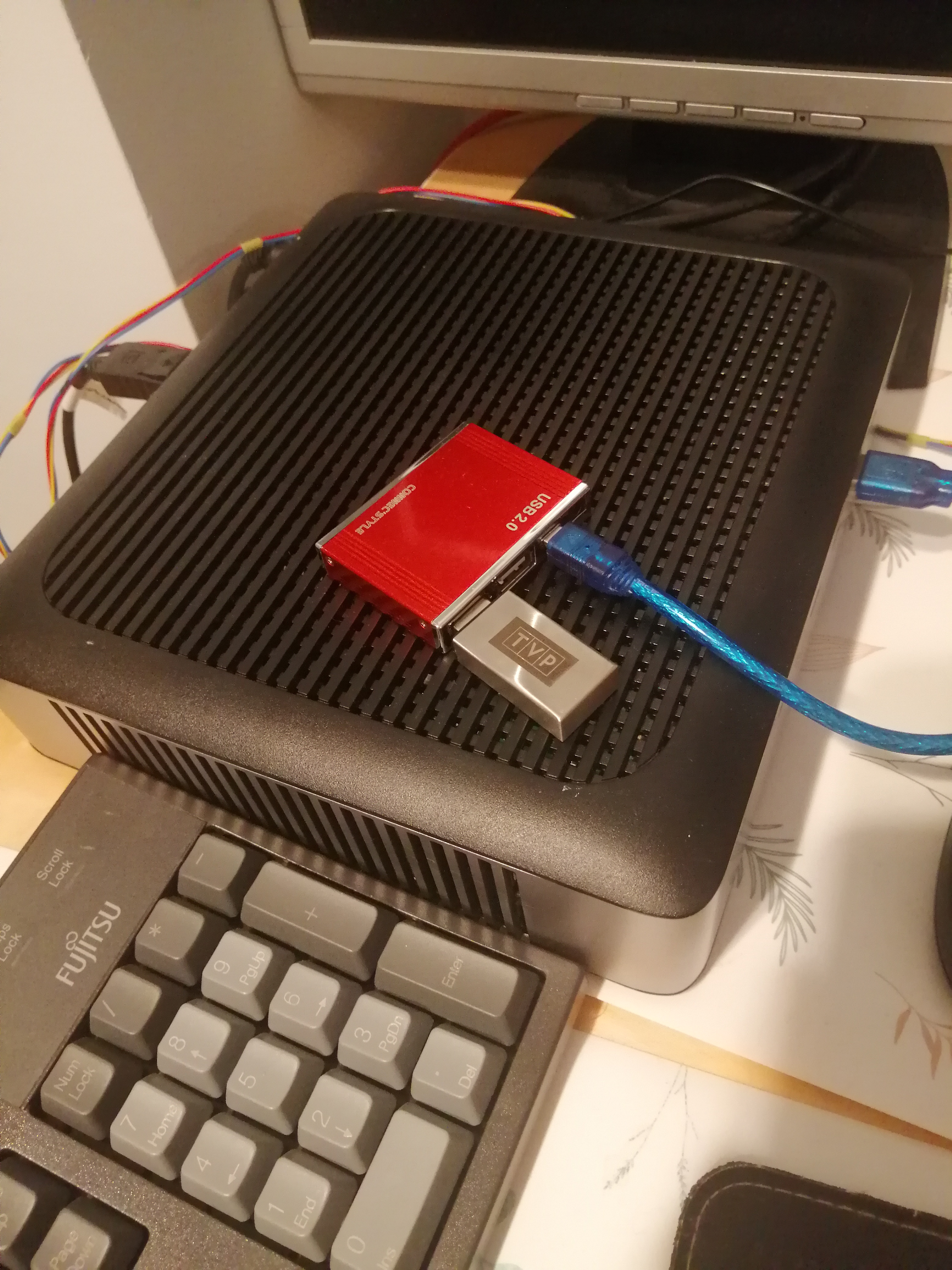
This is my machine of choice for this project. It’s 64 bit, has all the cool legacy peripherals (a serial port most importantly) and is very small/light. As you can see it easily fits on my table and doesn’t require too much space. Also a big plus is that if I get bored of OS dev eventually, I can use it as a secondary node in my home cloud infra.
Specs include:
-
32 GB hard drive; I can mount it out and use a bigger SSD, but I don’t need to for now
-
AMD RX-427BB
-
8 GB of RAM
-
2 serial ports
-
LPT port
-
PS/2 mouse and keyboard
Overall this mini PC is a big steal! It was only ~ 250 PLN or ~ 70 USD!
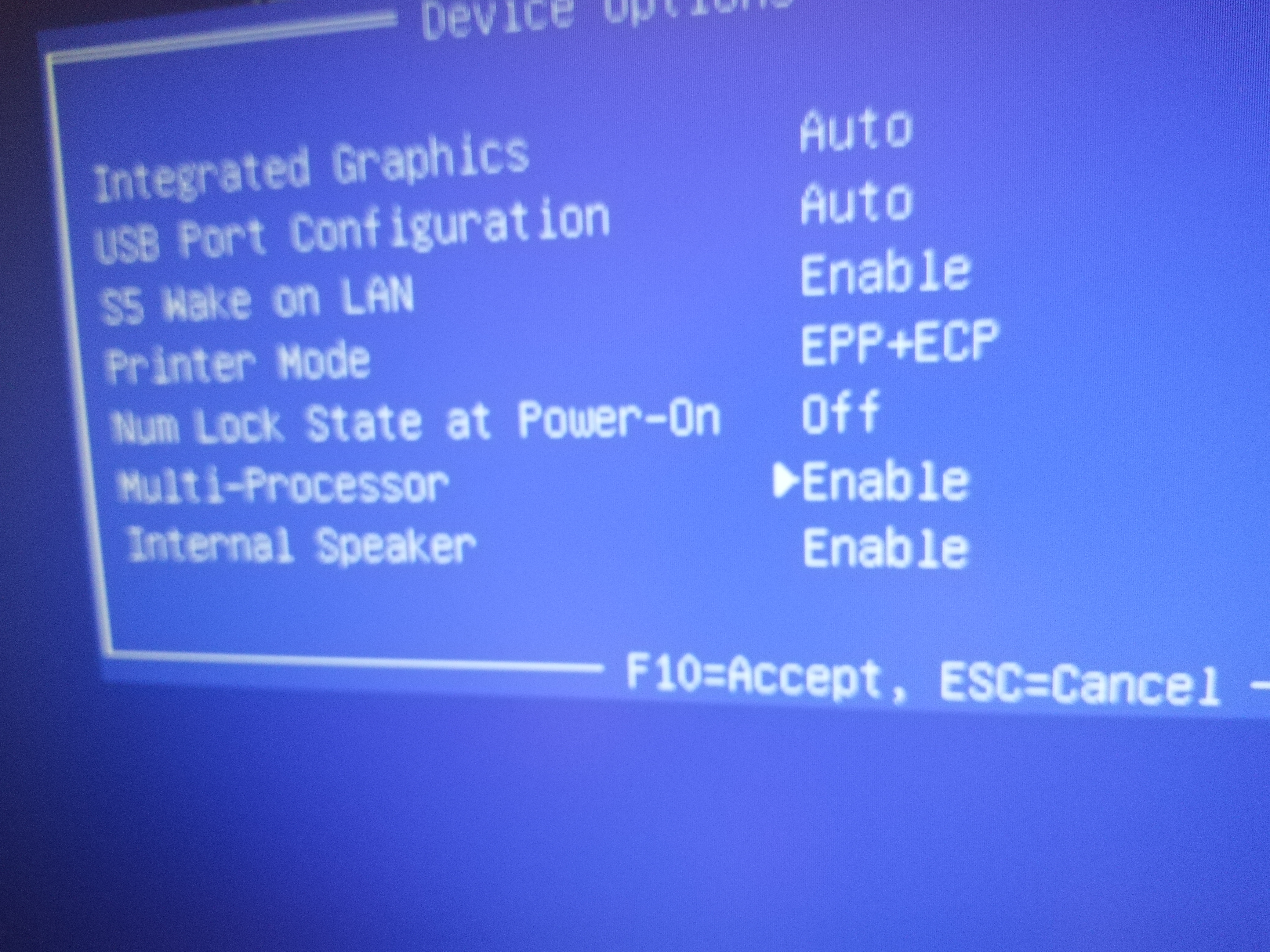
Also this BIOS feature is really important to me - multiprocessor or SMP support on/off. This is amazing for testing the correctness of SMP code, both in single core and multi core environment. May seem like a basic thing, but actually not many BIOSes support this.